

Press Kit Exporter
Quickly crop and resize headshots sized for every major social media site
Boost your add-on sales by offering a “Press Kit” of headshot files cropped and sized for every major social-media site plus up to three custom square sizes. Not all of your clients have the time, patience, nor tech savvy to resize their headshots for the all the social media sites, but you can be a hero by selling a collection of headshots ready for uploading to social media.
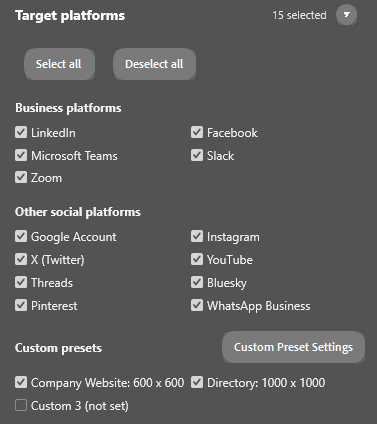
Supported Social Media Sites
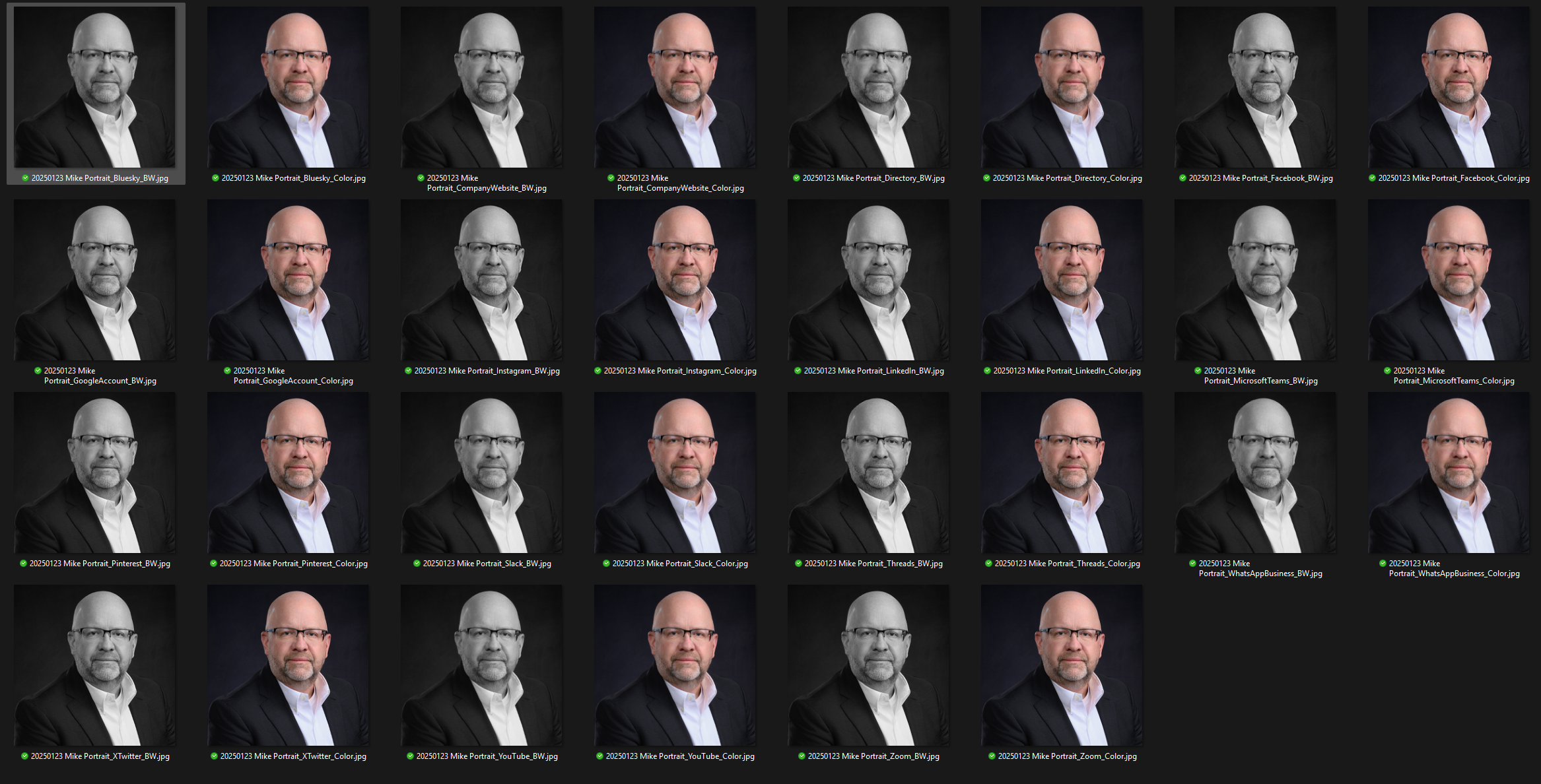
Thirteen social media site recommended sizes, color/b&w plus up to three custom sizes.
What Press Kit Exporter does:
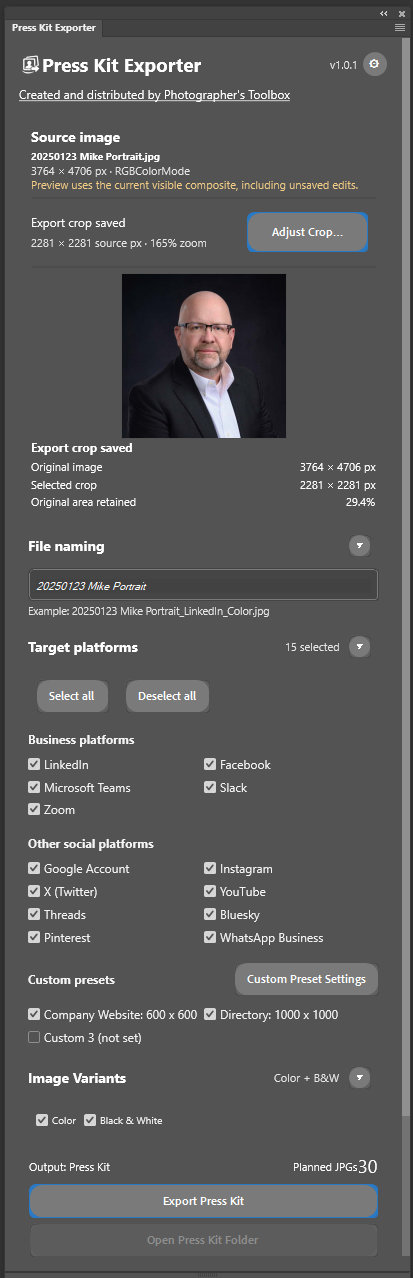
Open and retouch any headshot image. When all the enhancements have been performed, run the Press Kit Exporter plug-in to set a desired square crop, select the target social media platforms, and whether you want color and/or black and white versions. Click “Export Press Kit” and in just a few seconds, headshot images files are generated in the recommended sizes for each social media site. Boost your add-on sales with greatly reduced effort to produce the social media images.
Helpful features:
Export and Import settings to distribute to other computers.
Select up to 13 social media sites plus three custom presets.
Generate images in color and/or black and white.
Retain “-Retouched” at the end of filenames of exported files for Headshot Tools users.
“Check for Updates” opens a version check website to ensure you can download the current version.
How to use the Player Lister Pro plugin:
Open a finished portrait in Photoshop. Unsaved edits appear in the preview.
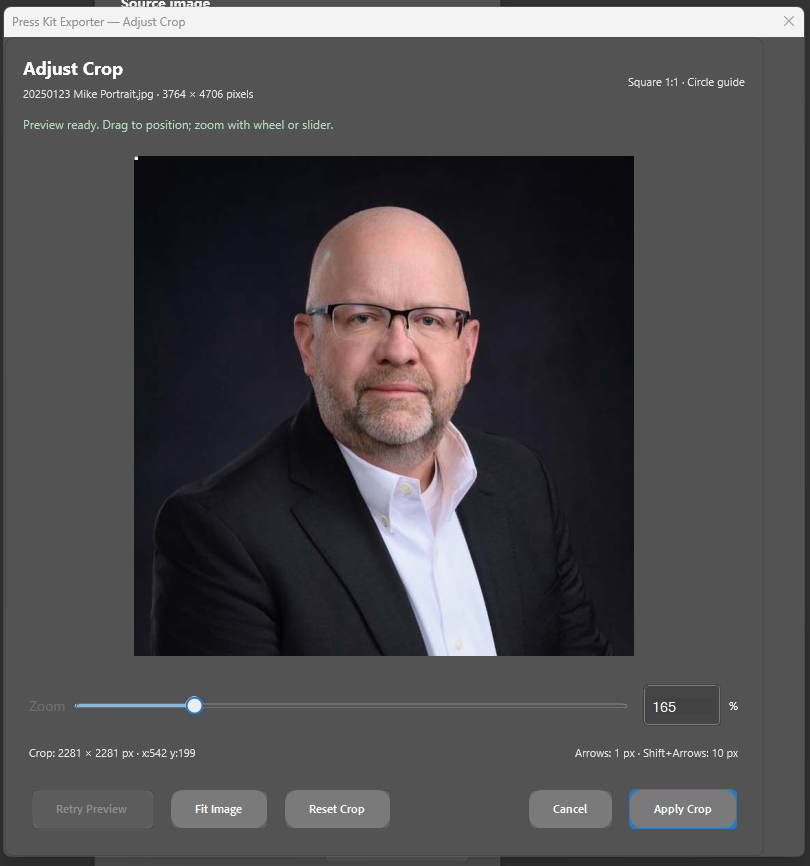
Click Adjust Crop and compose the square image using the circular guide.
Drag to reposition and zoom with the mouse wheel, slider, or numeric field.
Use arrow keys to nudge by 1 source pixel, or Shift+arrow keys by 10 pixels.
Apply Crop is required before exporting, even if the default composition is correct.
Review the live crop thumbnail and remaining source image area.
Choose platforms and variants, then click Export Press Kit.
Installation
The plugin is a regular Adobe Creative Cloud CCX plugin. Download the plug-in to a folder where you store you other CCX files and then double click on the CCX file. This will install the plugin to Adobe Creative Cloud on that computer and make it available to Photoshop. Since this is a manually installed plugin, you will need repeat the installation on any other computer where you have Photoshop installed.
Crop feature
FAQ
Q: How much does this handy tool cost?
A: There is no charge for this tool. You may not disassemble it or modify it. You may not re-sell it. Use it to make yourself a more efficient photographer.
Q: The plugin tool does not run.
A: Contact support at hello@PhotographgersToolbox.com for assistance with resolving the issue.
Version History
v1.0.3 - Initial public release.